
Triggers
Form submissions, customer events, status changes, schedules, approvals, or other events that should start a defined process.
Workflow Automation
Rambler Group builds workflow automation that connects website events, customer data, notifications, approvals, assignments, and internal actions across business systems.
The best automation removes predictable handoffs: copying a form into a spreadsheet, assigning a lead, sending the same internal notification, updating a status, waiting for an approval, or moving information between systems that already know what should happen next.
We map the existing process first so the automation preserves the decisions that matter and removes the steps that do not. That is especially useful when the website, CRM, email, content platform, and internal tools all need to participate in the same workflow.
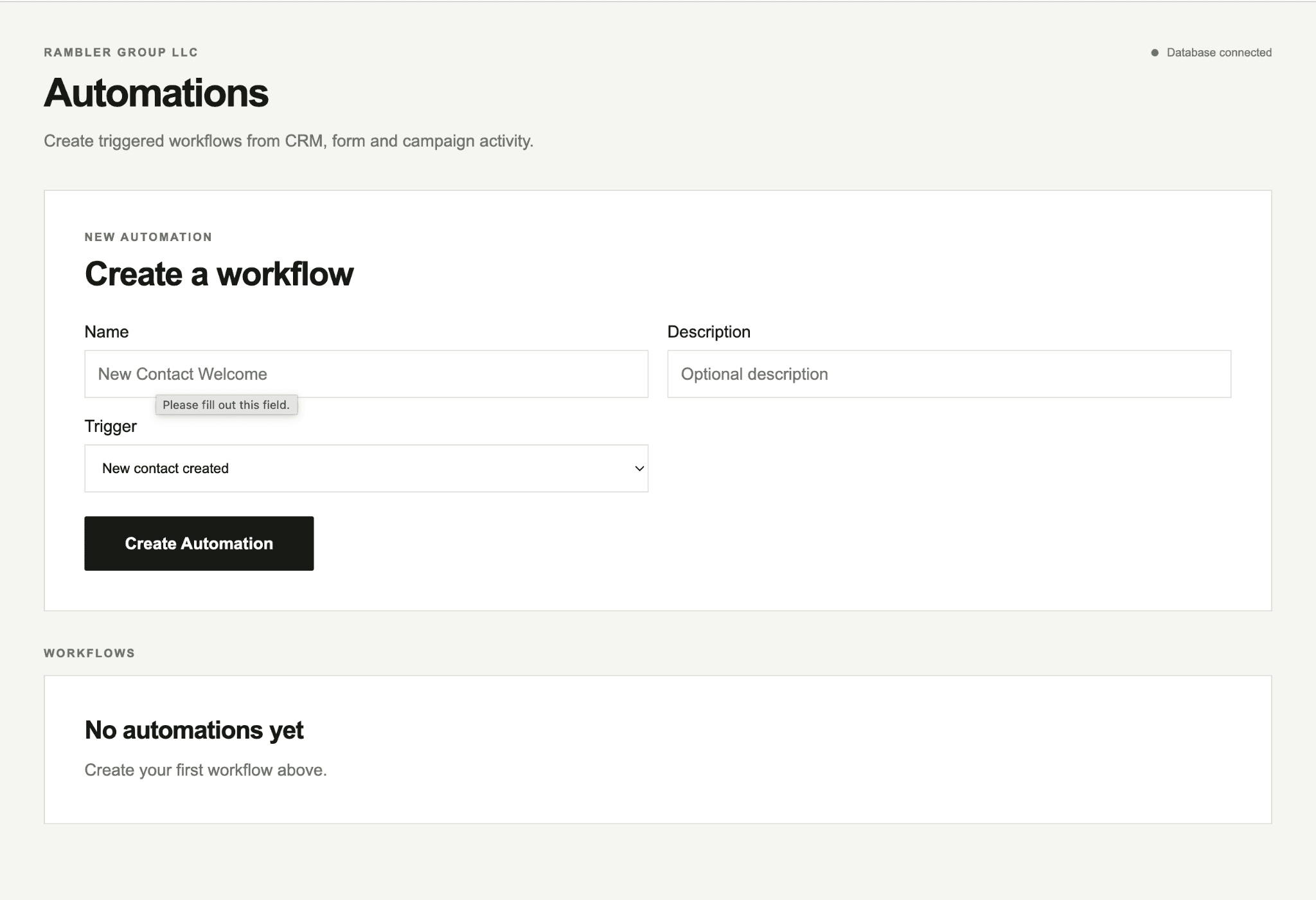
Rambler Marketing uses this same approach in production: CRM and form events can start workflows, route work, create or update records, and make failures visible. The page below shows the automation interface from the system itself rather than a concept mockup.
Form submissions, customer events, status changes, schedules, approvals, or other events that should start a defined process.
Send work to the right person or system based on rules, ownership, customer type, or operational state.
Create records, update data, send messages, request approvals, or call APIs as the workflow progresses.
Keep enough history to understand what happened and make failures visible instead of silently dropping important work.
A workflow can begin when a contact is created, a form is submitted, a campaign event happens, or another CRM state changes. The point is not automation for its own sake. It is making a repeatable handoff happen reliably without someone having to remember it.
If a process is unclear before automation, software can make the confusion happen faster. We define the states and ownership first.
Map the current steps, people, systems, inputs, decisions, exceptions, and outputs.
Remove unnecessary handoffs and identify which decisions truly require a person.
Build the triggers, actions, permissions, integrations, and failure handling around the simplified flow.
Track the workflow in production and refine rules when real edge cases appear.
The same information is repeatedly copied between forms, email, spreadsheets, CRM, and internal tools.
A customer or lead waits because the next step depends on someone noticing a message manually.
The team can clearly describe a repeatable process but spends too much time executing its routine steps.
Describe the trigger, the steps that follow, and the systems involved. We can map where automation is useful and where human decisions should stay human.
Start a project ↗