
Contacts & organizations
Central records for people and companies with the fields, relationships, ownership, and history the business actually uses.
Custom CRM Development
Rambler Group builds custom CRM and customer-management systems that connect contacts, website submissions, activity, segmentation, workflows, and operational visibility.
Generic CRM platforms are useful when their assumptions match the business. A custom CRM becomes worth considering when the team is working around rigid objects, duplicating data between tools, paying for large feature sets it does not use, or trying to connect a website to a process the platform was not designed to represent.
Rambler builds customer systems around the information the team actually needs: contacts, organizations, submissions, activity, ownership, segmentation, follow-up, campaign history, permissions, and the operational workflows that connect those records together.
Central records for people and companies with the fields, relationships, ownership, and history the business actually uses.
Connect public website inquiries, attribution, submissions, and customer events directly to the appropriate records.
Create useful groups, follow-up states, assignments, automations, and repeatable processes around customer activity.
Give users the access they need while keeping administrative, tenant, or sensitive operational areas separated.
Customer records are useful when they hold more than a name and email. The system can organize ownership, lifecycle state, lead temperature, companies, open work, pipeline, imports, and the filters a team actually uses day to day.
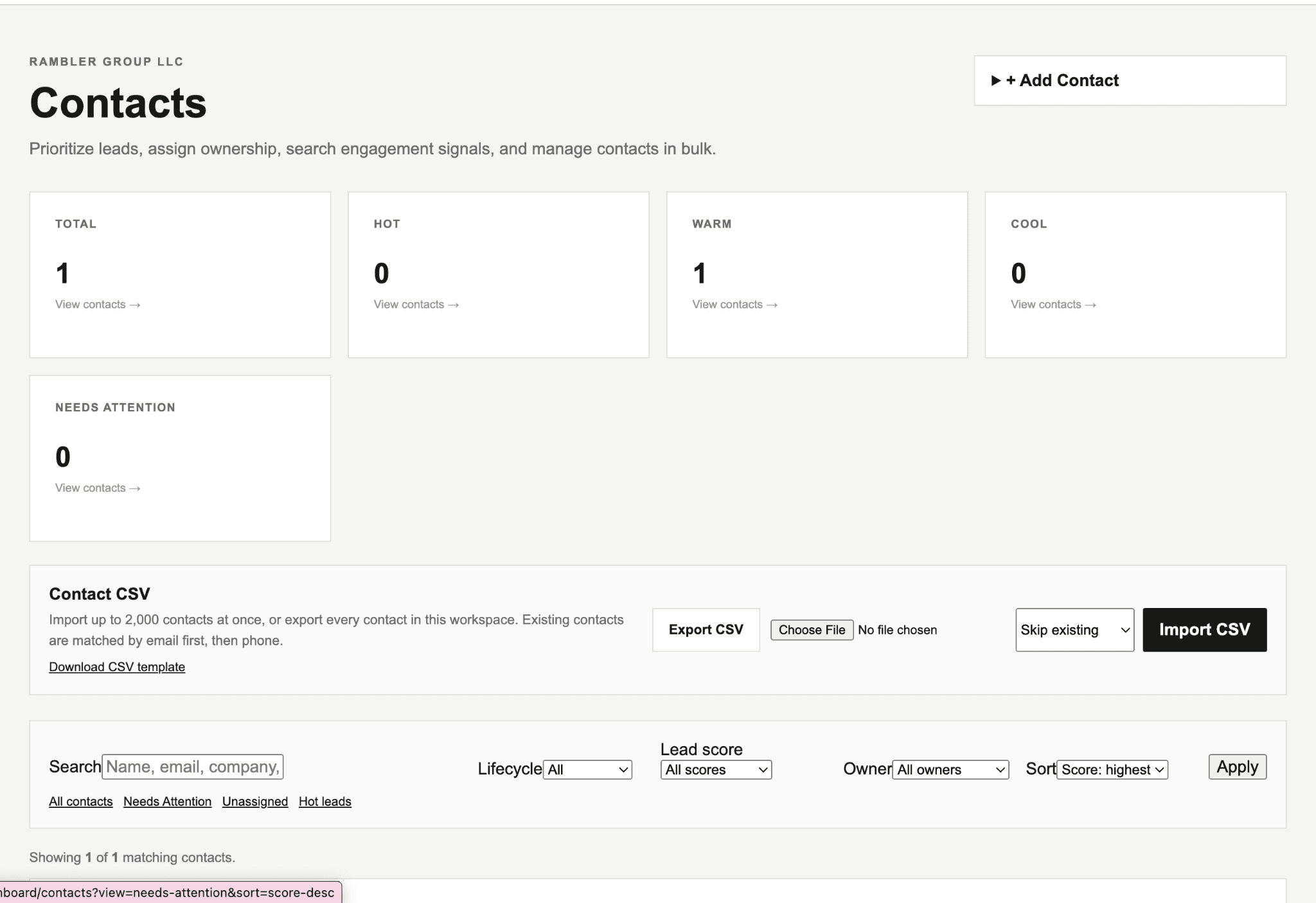
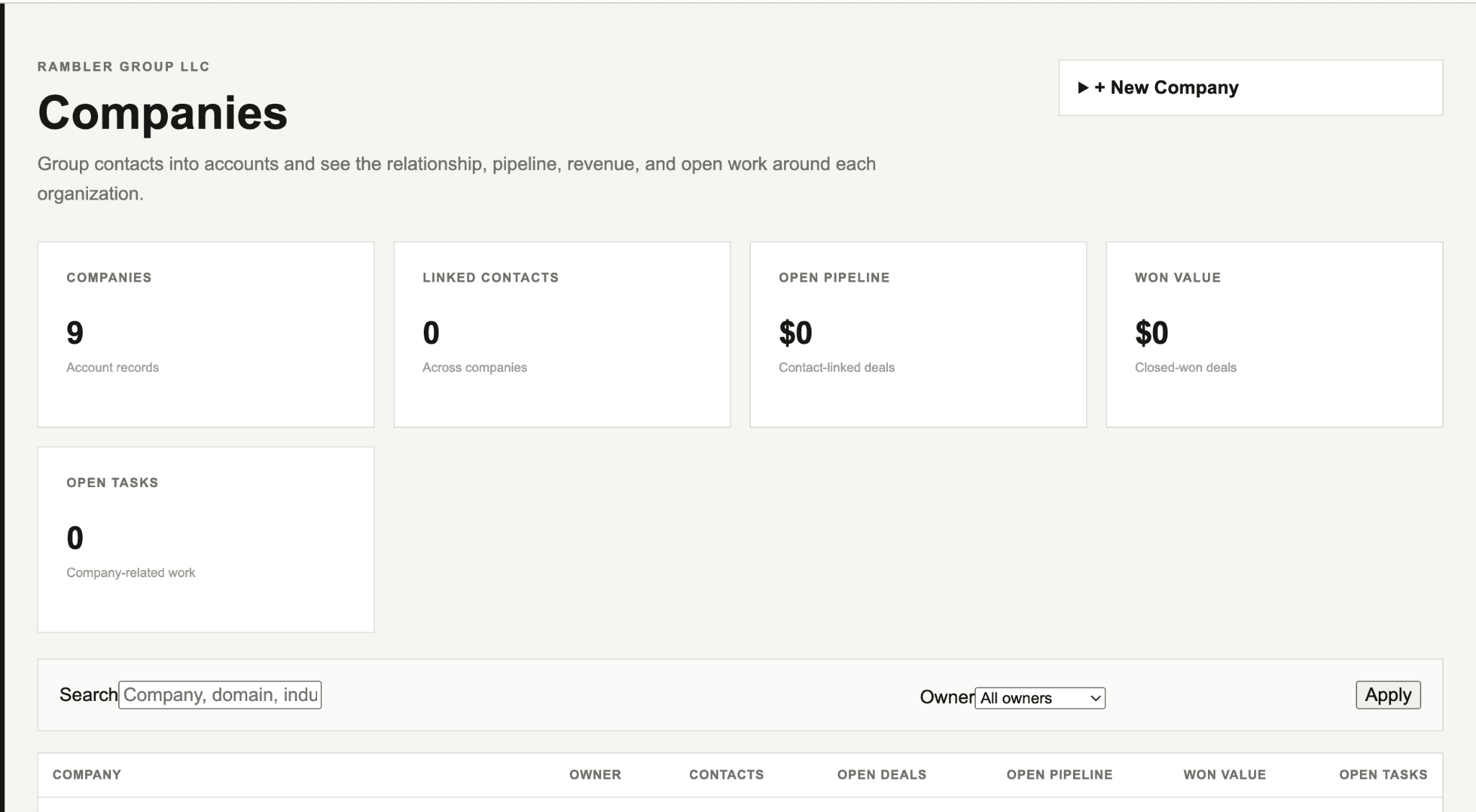
The strongest CRM schema comes from understanding what people do with customer information, not from copying fields from another platform.
Identify where records originate, how they change, who acts on them, and what history needs to remain visible.
Translate the process into clear entities, relationships, permissions, statuses, and events.
Connect forms, customer activity, assignments, automations, campaigns, and internal actions around the shared records.
Watch where the system reduces work and where the team still reaches for spreadsheets or manual workarounds.
The same customer system can score signals, define sales-ready thresholds, measure site activity, and preserve first-touch and last-touch attribution without separating those signals from the customer records they belong to.
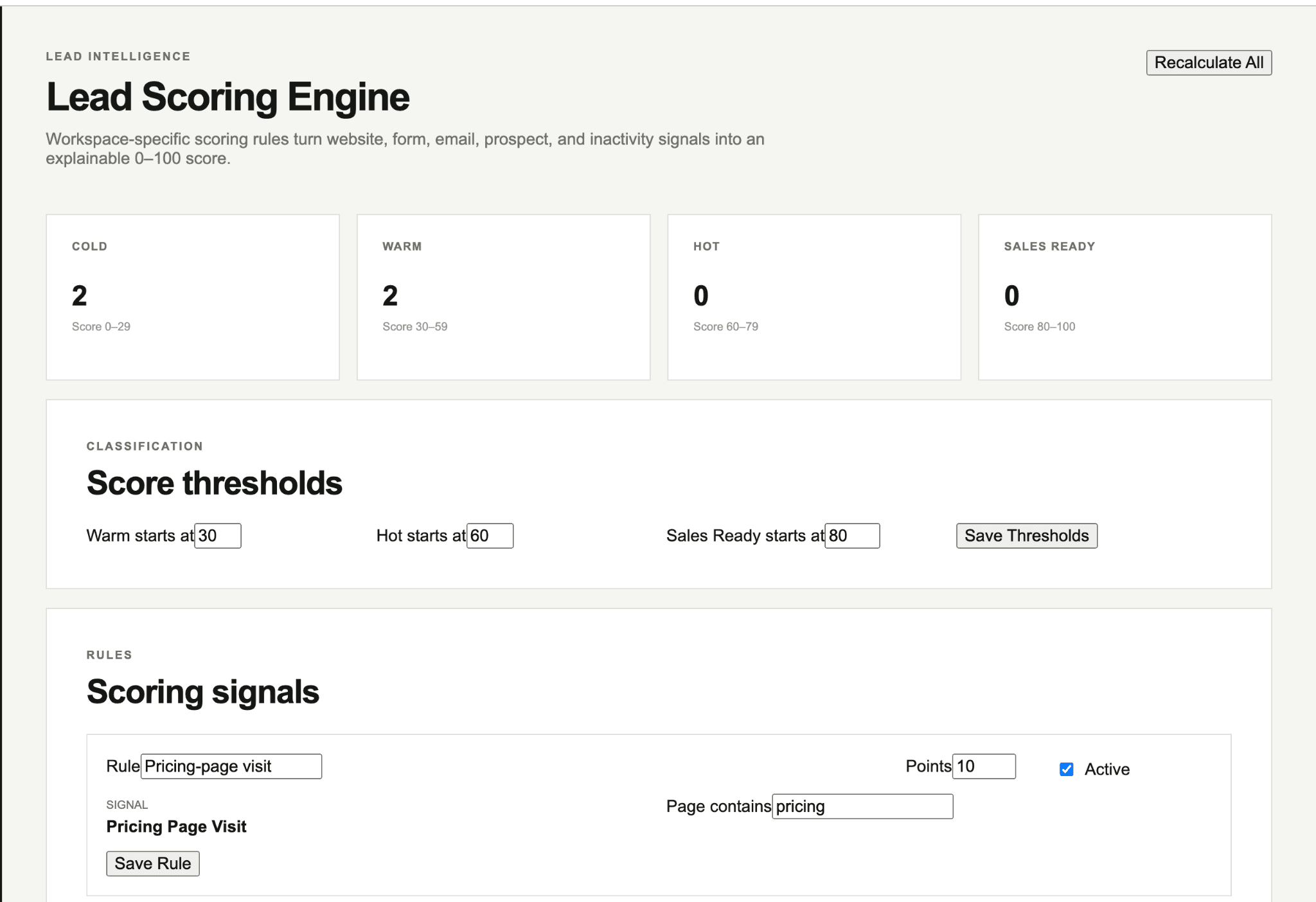
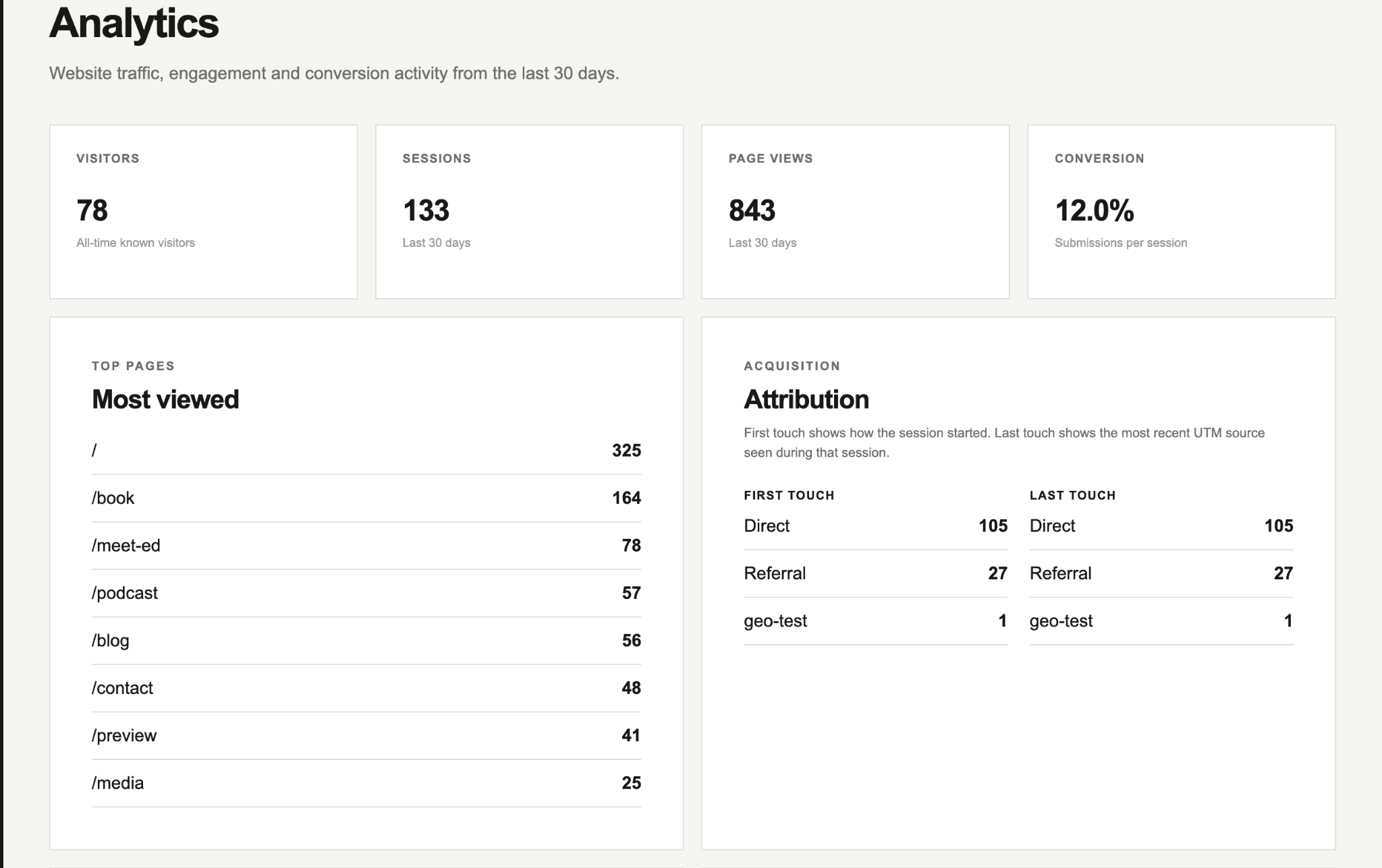
Your website and customer process need to operate as one connected system.
The team is maintaining important customer context across spreadsheets, inboxes, and several disconnected tools.
Off-the-shelf CRM software creates more work because the business process does not fit its data model or permissions.
Useful reading
A few practical guides for the decisions that usually come before a project.
Learn when a small business needs a CRM, when a spreadsheet is still enough, and what customer information and workflows a CRM should actually improve.
Read the guide →Custom CRMCRM vs. spreadsheet: when should a business switch?Compare CRM software with spreadsheets for customer records, history, ownership, follow-up, permissions, forms, automation, reporting, and team collaboration.
Read the guide →Custom CRMCustom CRM vs. HubSpot or Salesforce: which approach fits?Compare custom CRM development with HubSpot or Salesforce for workflows, integrations, customization, cost, ownership, implementation, and business fit.
Read the guide →Custom CRMWhat is a first party CRM connected to your website?Learn how a first party CRM connects customer data, website forms, activity, consent, segmentation, and workflows in systems controlled by your business.
Read the guide →Custom CRMWhat should a CRM for a service business track?See what a service business CRM should track, including contacts, inquiries, sources, status, ownership, appointments, project history, follow-up, and activity.
Read the guide →Custom CRMHow much does CRM software cost for a small business?Learn what affects small business CRM cost, including user pricing, implementation, migration, integrations, automation, custom development, and support.
Read the guide →Describe where customer information lives today, what your team does with it, and what is difficult about the current setup.
Start a project ↗